
What's New in Blender 5.3! Official Preview
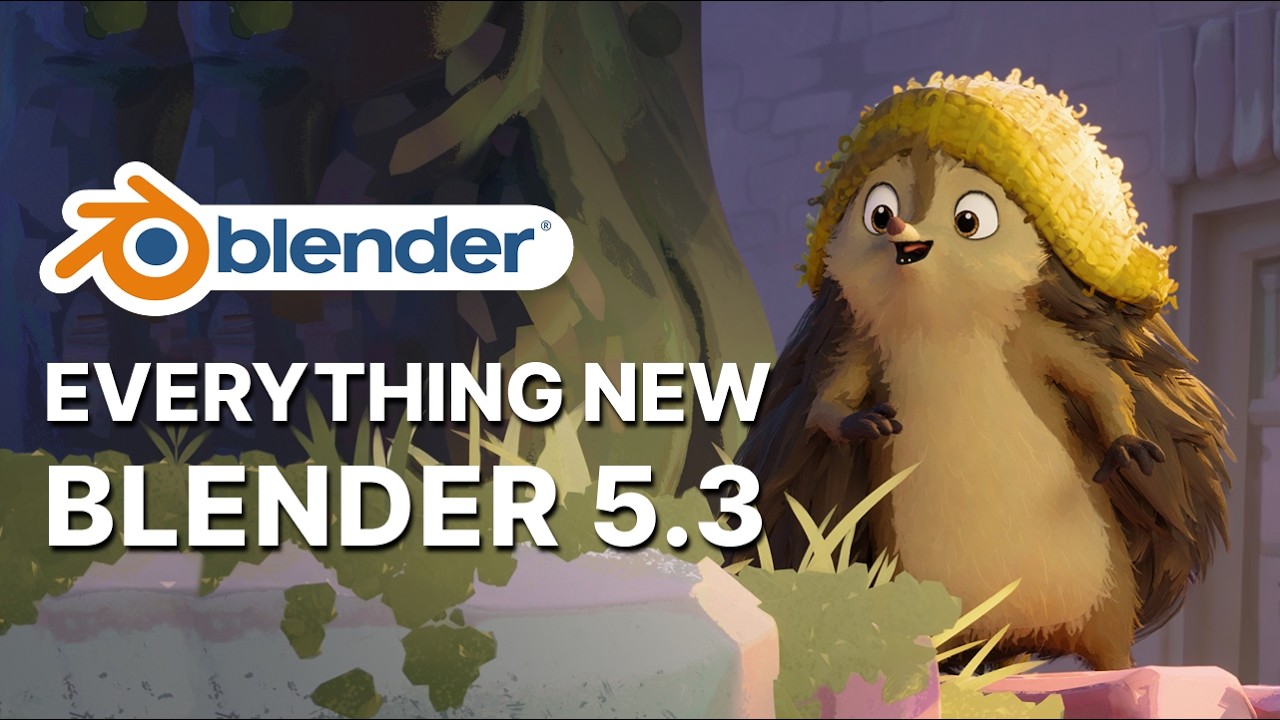
Blender 5.3 has officially arrived, and this milestone release introduces a remarkable wave of creative tools, performance breakthroughs, and workflow refinements across every stage of the 3D production pipeline. In the comprehensive video showcase titled "What's New in Blender 5.3! Official Preview", Jonathan Lampel from CG Cookie and Wayne Dixon walk artists through every major upgrade—from native 3D Gaussian Splats and NVIDIA DLSS viewport denoising to custom EEVEE material lighting nodes, fluid-ready Geometry Nodes grids, ripple editing in the Video Sequencer, and a studio-grade Projects system.
Whether you are a 3D modeler, character animator, motion designer, look-development artist, or independent filmmaker, Blender 5.3 delivers meaningful quality-of-life enhancements alongside powerful new rendering and simulation capabilities. Below is the complete technical overview and SEO-structured breakdown of every feature demonstrated in the official preview, along with quick access links to watch the full walkthrough and subscribe to our YouTube channel for ongoing Blender tutorials and news.
| Video Title | What's New in Blender 5.3! Official Preview — Complete Feature Breakdown across Modeling, Sculpting, Geometry Nodes, Animation, Rendering, Compositing, and VSE. |
|---|---|
| Source | YouTube Official Preview |
| Presenters | Jonathan Lampel (CG Cookie) & Wayne Dixon |
| Software Version | Blender 5.3 |
| Category | 3D Modeling, Animation, Rendering & VFX |
| Watch Video | Watch Official Blender 5.3 Preview on YouTube |
| YouTube Channel | Subscribe to Our YouTube Channel |
Blender 5.3 Modeling Enhancements: Precision, Topology, and Undo Reliability
Mesh modeling in Blender 5.3 receives substantial upgrades aimed at bridging organic sketching workflows with hard-surface precision. By bringing classic add-on functionality directly into core Blender and introducing cleaner geometric primitives, modeling tasks require fewer workarounds and offer tighter control over edge flow and real-world dimensions.
Native Loop Tools Operators Built Directly Into Core Blender
Three beloved Loop Tools operators are now natively integrated into Blender's core modeling toolset without requiring external add-ons. Relax Edge Loops smooths selected loops with configurable iteration counts, cubic or linear interpolation, and an option to space vertices evenly along the loop. Curve Edge Loops Between Selected allows artists to select key vertices across a set of loops and smoothly interpolate everything in between into a clean arc, complete with factor control, clamping to raise or lower only, and individual axis locking.
Sketch-to-Mesh Workflow with Fit Edge Loops to Annotation
The third native operator, Fit Edge Loops to Annotation, lets modelers stretch an edge selection directly onto a hand-drawn annotation stroke. Artists can preserve relative vertex spacing, distribute vertices evenly, or project them along their normals. Together, these loop operators blur the boundary between freeform concept sketching and structured polygonal modeling.
Quad Sphere Primitive, Edit Mode Dimensions, and Origin Snapping
Blender 5.3 introduces the new Quad Sphere primitive, providing an ideal starting mesh for sculpting and subdivision surface modeling without pole pinching. Unlike a subdivided cube, the Quad Sphere forms a mathematically true sphere right away, offering segment controls and a choice between Even Area (minimizing subdivision distortion) and Even Angle (creating circular axes that blend cleanly with other geometry). Meanwhile, the Transform panel in Edit Mode now displays exact selection dimensions—letting you type target measurements to scale selections around the active pivot across all object types—and the Snapping menu gains an Origin option for snapping to lights, collection instances, and non-geometry objects. Even better, the Edit Mode Undo system now properly records object and scene property changes alongside mesh edits in exact chronological order.
Sculpting, Weight Painting, Texture Painting, and Hair Grooming
Digital sculptors, character riggers, and texture artists gain significant usability improvements in Blender 5.3. From multiresolution color visibility to a redesigned weight painting experience for beginners and faster UDIM undo performance, the sculpting and painting modes feel noticeably smoother and more responsive.
Multiresolution Sculpting and Brush Ergonomics
Multiresolution sculpting now displays and interpolates both color attributes and image textures directly in Sculpt Mode, giving artists real-time surface feedback on detailed characters and creatures. A new Transform Only Pivot option in the Options menu lets you reposition the sculpt pivot point using the transform gizmo without altering the underlying mesh, mirroring Object Mode behavior. Additionally, cube-tip brushes display an accurate rounded box cursor, while Hardness, Auto-Smooth, and Spacing each support custom pen pressure curves. Blender also reorganized the old Falloff panel into the Shape panel—housing Hardness, Tip Roundness, and Tip Scale X—and stores Unified Paint Settings toggles for size, strength, and color on a per-brush basis.
Beginner-Friendly Weight Painting, Auto-Masking, and Faster Texture Updates
Weight Painting has been thoughtfully refined to reduce friction for riggers and newcomers alike. The default brush is now Add Weight, which applies low-strength accumulation so weights build gradually (with Ctrl inverting the stroke), while the previous Paint brush is renamed Set Weight. Blur also uses accumulation, all brushes default to 5% spacing for smoother strokes, the Brush Asset Shelf appears automatically, and Multi-Paint, Auto Normalize, and Mirror Vertex Groups are enabled out of the box. Both Vertex Paint and Weight Paint now support full auto-masking—including Topology, Mesh Boundary, Cavity, View Normal, and Area Normal—accessible via the Alt+A pie menu, alongside vertex/face counts in the statistics overlay and exact face-corner color sampling.
High-Resolution Texture Painting and the New Hair Cut Brush
Texture Painting undo and redo operations are dramatically faster on high-resolution textures and UDIM tiles because Blender now updates only the modified region rather than reloading the entire image. Mipmaps also refresh dynamically as you paint in Material Preview and EEVEE, keeping textures sharp while filtering accurately. For hair grooming, a new Cut brush trims hair curves wherever strokes touch, with lower strength values selectively skipping curves to produce organic, uneven haircuts.
Geometry Nodes: Fluid Grid Building Blocks and Procedural Speed
Geometry Nodes continues its rapid evolution in Blender 5.3 with foundational volume grid tools designed for custom fluid simulations, alongside smarter curve generation, metadata inputs, and workflow refinements.
Volume Grid Nodes for Custom Fluid Simulations
A new suite of Grid nodes equips technical artists with the core building blocks required to construct fluid solvers inside Geometry Nodes. Rasterize Points converts point clouds into volume grids—acting as the inverse of Sample Grid—so simulations can pass data back and forth between particles and grids. The Grid Solve Poisson node solves Poisson's equation across a grid to make simulated fluids more stable and incompressible. Supporting nodes include Grid Topology Boolean for combining active grid regions, Deactivate Voxels for pruning grid data, and Get Grid Names to list grids inside a volume. Additionally, Sample Grid adds a Cubic mode and a fixed Quadratic mode to deliver smooth derivatives when calculating forces from velocity grids.
Procedural Curves, Utility Nodes, and Instance Normals
Curve workflows gain a major architectural upgrade through the Miter Scale option on both the Curve to Mesh node and the Curve to Tube modifier asset (enabled by default in Curve to Tube), preventing profile pinching around sharp corners such as pipes and trim moldings. For high-performance procedural modeling, the new low-level Construct Curves node builds curves rapidly from lists of positions and offsets. Artists also get handy utility nodes including Combine List, Get Vector Component (available across Geometry, Shader, and Compositor editors), and Geometry Materials. Meanwhile, Realize Instances gains a Preserve Normals toggle to prevent flipped faces on negative-scale mirrored instances, Bake paths support template variables like the blend file name, Drag-to-Search supports Index Switch and Repeat Zone inputs, Bone Info exposes envelope distance and head/tail radii, and dedicated input nodes now expose NURBS Order, NURBS Weight, and Grease Pencil attributes such as Opacity and Fill ID.
Grease Pencil Upgrades for 2D-to-3D Illustrators and Animators
Grease Pencil receives practical workflow accelerations in Blender 5.3 that eliminate repetitive mode switching and expand artistic styling options directly inside the 3D viewport.
Direct Stroke Selection, Carver Tool, and Multi-Region Fill
In Draw Mode, illustrators can now select strokes directly without toggling into Edit Mode, then copy, paste, delete, move, rotate, scale, mirror, or snap them using standard hotkeys or the new Stroke menu. The brand-new Carver tool introduces a lasso-style Boolean subtraction that slices through strokes and fills—even punching clean holes in filled shapes when required. Furthermore, the Fill tool can now flood multiple enclosed areas in a single click-and-drag pass, merging them into one seamless shape without gaps. The Draw tool also supports closed cyclic strokes and unified paint settings.
Full Color-Ramp Gradients and Camera Roll Navigation
Grease Pencil material gradients are no longer restricted to two colors and now leverage a full multi-stop color ramp, while intersecting hole fills render accurately. When sketching inside Camera View, artists can roll the canvas like rotating physical paper, reset the roll, or flip the view horizontally to check proportions and silhouette balance. Finally, the Pen tool avoids accidentally grabbing nearby points during extrusion and allows holding Alt to ignore existing selections.
Animation and Rigging Improvements in Blender 5.3
Presented by Wayne Dixon, the Animation and Rigging updates in Blender 5.3 focus heavily on responsiveness, pose manipulation, camera-space workflows, and cleaner pipeline automation.
Stutter-Free Timeline Scrubbing, Wrap Navigation, and Faster Motion Paths
One of the most immediately noticeable fixes in Blender 5.3 is the elimination of timeline stutter when scrubbing during active playback—meaning animators can grab and scrub smoothly and release to resume playback seamlessly. Transport controls also gain Wrap Timeline Navigation, allowing jump-to-next/previous keyframe navigation to loop around the start and end of the active scene or preview range. Motion Paths have received a substantial speed boost and now update automatically whenever Auto-Keying is enabled, while Keying Sets have returned to the Keying popover menu to keep the timeline footer uncluttered.
Action Duplication, Pose Markers, and Core Convert Rotation Modes
Organizing and iterating on animation data is faster thanks to Duplicate and Replace Action (Replace with Duplicate Action), which clones an existing action and relinks selected objects to the new copy in one step—complementing Replace with New Action. Timeline markers stored locally inside an action are now clearly labeled Pose Markers, complete with renamed operators like Convert to Pose Markers and Show Pose Markers. Additionally, the classic Rigify Convert Rotation Modes tool has been rebuilt into core Blender for both Object and Pose modes (accessible via Ctrl+R) and runs fast enough to convert Euler, Quaternion, and Axis-Angle modes even while animation plays back.
Pose Blending, World Space Animation, Fix to Camera, and Rigify Polish
Pose-to-pose animators now benefit from a blend factor slider (0 to 1) in the redo panel after pasting a pose with Ctrl+C and Ctrl+V. Alongside existing World Space Transform tools, Blender 5.3 introduces initial World Space Animation copy and paste across playback ranges for unconstrained bones and objects, cutting down on tedious baking. The Fix to Camera (Fix to Scene Camera) operator expands to handle camera focal length, field of view, and X/Y shift—ideal for keeping stepped character animation smooth against a moving camera—alongside a Delete Generated Keys button. Riggers can also duplicate multiple selected shape keys simultaneously, access exposed B-Bone segments on Rigify's spine and head rig types, and script faster via Python API additions including constraints.new(type, name), context.markers, and context.selected_markers.
Rendering Breakthroughs: 3D Gaussian Splats, EEVEE Lighting Nodes, and Cycles DLSS
Rendering in Blender 5.3 represents one of the biggest leaps in recent memory, introducing native 3D Gaussian Splatting, programmable stylized lighting in EEVEE, physical dispersion in Cycles, Vulkan defaults, and real-time NVIDIA DLSS viewport denoising.
Native 3D Gaussian Splats Across Workbench, EEVEE, and Cycles
Blender 5.3 natively supports importing and rendering 3D Gaussian Splats across Workbench, EEVEE, and Cycles. Stored under the hood as point clouds with a 3D Gaussian Splats type option, imported splats render out of the box using an Emission shader—and artists can even swap Emission for a Diffuse BSDF to partially relight captured photogrammetry scenes. Geometry Nodes also adds Set Point Cloud Type and Import SPZ nodes for procedural splat workflows.
EEVEE Material Lighting Nodes, Panoramic Cameras, and Sky Sun Disc
EEVEE gains a game-changing set of Material Lighting Nodes that let shader artists control exactly how a surface responds to each light in a scene, unlocking true toon shading, stylized NPR rendering, and iridescent effects. The Light Accumulation node evaluates inputs per light and sums them together using three new partner nodes: Light Info (color, power, position), Light Evaluation (diffuse/specular, direction, distance), and Shadow Raycast (shadow mask with adjustable softness), alongside a Light mode on the Attribute node and Light space in Vector Transform. EEVEE also gains support for Panoramic Cameras (perfect for 360 and VR rendering) and renders light directly from the Sky Texture's sun disc just like Cycles.
Cycles Dispersion, Auto-Pause Viewport, and NVIDIA DLSS Denoising
Cycles introduces physical Dispersion inside the Principled BSDF's Transmission panel, enabling realistic rainbow refraction controlled via Abbé number for gemstones, prisms, and glass, alongside anisotropic roughness in glass transmission for brushed glass aesthetics. Workflow efficiency improves dramatically with Auto-Pause Viewport when pressing F12 for final renders—cutting render time by nearly 40% in benchmark tests—plus improved conservative rasterization for texture baking on tiny triangles. For NVIDIA GPU users running driver version 620 or newer, a new DLSS Viewport Denoiser combines temporal frame reuse with smart upscaling to deliver remarkably clean real-time path tracing. Vulkan is now the default graphics backend on standard Windows and Linux systems (lowered to Vulkan 1.1 minimum), Workbench gains hardware ray-traced shadows on Vulkan and Metal, Edit Mode normals are anti-aliased, and GPU optimizations bring NVIDIA shader sorting, Spark support on Windows 11, and lower memory consumption.
Shader Editor Node Additions and OpenColorIO Interoperability
The Shader Editor inherits numerous Geometry Nodes utilities—including Switch, Index Switch, Boolean Math, Integer Math, and most String nodes—along with Warning and Enable Output options for node groups and Closure support inside Repeat Zones. Color spaces also store an OpenColorIO Interoperability ID so textures retain accurate color management across different studio OCIO configurations.
Compositing Stack and Video Sequencer (VSE) Overhaul
Post-production inside Blender 5.3 becomes far more modular and responsive thanks to a modifier-style Compositor stack and a completely modernized Video Sequencer editing workflow.
Modifier-Style Compositor Effects Stack and Built-In Bloom
Instead of managing one monolithic scene node tree, artists can now layer modular compositing effects in the Properties editor's new Compositor tab—similar to working with geometry modifiers. Each effect encapsulates its own node group with independent toggles for Final Render and Viewport Preview. Alongside this stack, Blender 5.3 adds a built-in Bloom effect asset that restores the beloved EEVEE bloom look in a flexible, engine-agnostic way. New compositor trees start with Group Input and Group Output nodes, viewport compositing is active by default in Layout, interactive playback caches frames in memory, GPU EXR playback is up to 2x faster, the Anisotropic Kuwahara filter runs up to 10x faster on Apple GPUs (2x on NVIDIA, 25% on CPU), Transform nodes gain viewport gizmos, and compositor previews no longer overwrite your Render Result image.
Video Sequencer Ripple Editing, Blade Upgrades, and OpenTimelineIO
The Video Sequencer introduces a dedicated Ripple Editing system: while dragging strips, pressing R, S, or V switches dynamically between Ripple, Shuffle, and Overwrite modes, complemented by Ripple Trim, Ripple Delete, and a popover controlling multi-channel ripples, markers, and strip splitting. The Blade tool now displays a cut preview line and frame tooltip, supports holding Shift (cut all channels) or Alt (ignore connected strips), and can be activated temporarily by holding C. Blender 5.3 also introduces initial OpenTimelineIO (OTIO) import/export for exchanging edits with tools like DaVinci Resolve, unclamped strip handles, redesigned workspace layout with preview playback/scrubbing controls, strip thumbnails, drag-and-drop media support, over 2x faster 4K playback in testing, and an optional Hardware Video Decoding preference.
Assets, Studio Pipeline, File I/O, and Scripting
For studios, asset creators, and technical directors, Blender 5.3 delivers a structured project framework alongside major interchange upgrades for USD, Alembic, glTF, and Python.
The New Blender Projects System and Extension Asset Libraries
Placing a .blender_project folder in a directory automatically turns every blend file inside into part of a unified project. This unlocks project-wide path variables, project-scoped asset libraries, per-project OpenColorIO configurations, custom splash screens, and project-filtered recent files. Meanwhile, online asset libraries support access tokens for private or paid libraries and version-specific asset variants, while the Blender Extensions platform now hosts CC0 asset libraries installable via drag-and-drop. External assets can also be dragged between catalogs and renamed directly.
USD, Alembic, glTF, and Python API Advancements
Pipeline interchange gets stronger across all major formats: USD preserves original normal domains for game engines, supports 4x4 matrix attributes bidirectionally, imports Gaussian Splats, and turns empty collections into live USD importers. Alembic adds point cloud export, curve velocities, custom attributes, active/default colors, and subdivision surface settings with automatic modifier creation on import. glTF adds point cloud materials/colors, Gaussian Splat import, KTX2 Basis Universal textures, import presets, collection center controls, animated custom properties, and drastically faster material exports (dropping from 39 seconds to under 1 second in stress tests). For scripters, OpenEXR and opentimelineio ship natively with Blender's Python API alongside undo stack inspection, GPU storage buffers, and markdown UI labels.
User Interface Polish and Node Editor Upgrades
Wrapping up Blender 5.3 are sweeping UI refinements across sidebars, the Outliner, and all node editors. Sidebars in any editor can now be searched instantly with Ctrl+F (including add-on tabs) and cleared with Alt+F. The Outliner defaults to custom drag-and-drop sorting, moves child objects automatically with parents (Ctrl+Shift for parent only), isolates with Shift+H, adds filters for modifiers/vertex groups/materials, exposes per-object Holdout and Indirect Only toggles, and lets users pack images via right-click. Across the UI, holding Ctrl or Shift adjusts number-arrow increments, CJK text input works across text editors and 3D text, Wayland windows gain rounded corners on Linux, and background terminal runs on macOS stay out of the Dock. Inside the Node Editor, a new Markdown-enabled Comment node (F2 to edit), Ctrl+X node cutting (Shift+X for dissolve), highlighted links through reroutes, clickable breadcrumb dropdowns, and alphabetical Add menus make complex node graphs far easier to navigate.
Blender 5.3 is completely free to download today at blender.org, and supporting the Blender Development Fund helps keep future open-source releases pushing the entire 3D industry forward. Be sure to watch the full video breakdown at What's New in Blender 5.3! Official Preview, and don't forget to subscribe to our YouTube channel at https://www.youtube.com/channel/UCGXzjy1dqIqLGpfAxYDbl_w/ for more Blender guides, feature previews, and 3D workflow tips!
More My Components Framer : Framer Marketplace
Channel YouTube : Playlist Games on YouTube
Link My Store in CGTrader : My Profile on CGTrader
Link My Profile in BlenderNation:My Profile on BlenderNation
Link My Store in BlenderMarket / SuperHive : My Store BlenderMarket ( SuperHive )
Like,Share, Comment, and Subscribe !!!
✨ Support Me :
Buy me a coffee: Buy me a coffee
Link Ko-Fi: Support me on Ko-fi
Link PayPal: Donate via PayPal
Please visit my store, if you want to buy you can via this link or contact me : My LinkTree
Email : colab232777@gmail.com


